You cannot be on every roof.
Send the check order instead.
Every technician on your crew works the same ordered checks, records what they found, and leaves a report behind — on RTUs, walk-ins and boilers, in mechanical rooms with no signal. One bill, seats you control, and no sales call to get started.
No credit card for the trial · Set it up yourself in a few minutes
Real questions, off real commercial equipment
Typed into ACLogics by working technicians. The first check is what the app told them to do — including when it disagreed with what they were already sure of.
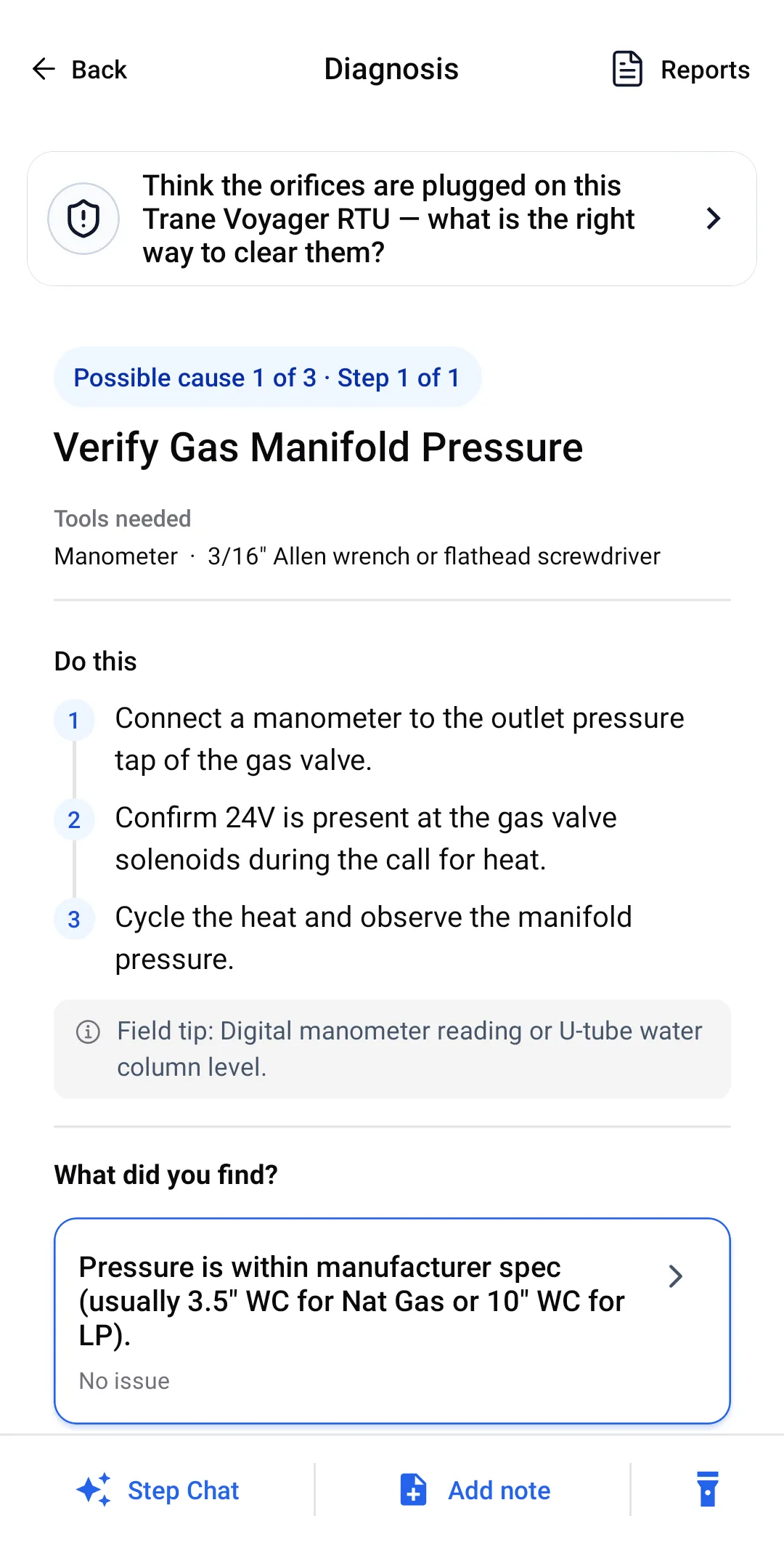
First check: Before pulling the manifold: measure gas manifold pressure. If it is at spec, the orifices become the suspect. If it is not, you were about to disassemble the wrong thing.
Packaged unit (RTU) diagnostics → “Cooler not keeping temp on hot days”First check: Look through the condenser coil face for daylight. Then — the one people miss — measure the air the condenser is actually drawing in. More than 10°F above true ambient means it is recirculating its own heat.
How the guided workflow works → “Boiler will not fire”First check: The red-cover service switch, then the breaker in the panel. Unglamorous, free, and it goes first so nobody opens a control board over a switch somebody flipped.
Boiler diagnostics → “Build ice on the top of the Evaporator will in cooler”First check: Filter, then return intake, then confirm real airflow at the supply — three free checks before anyone opens a gauge set on a walk-in.
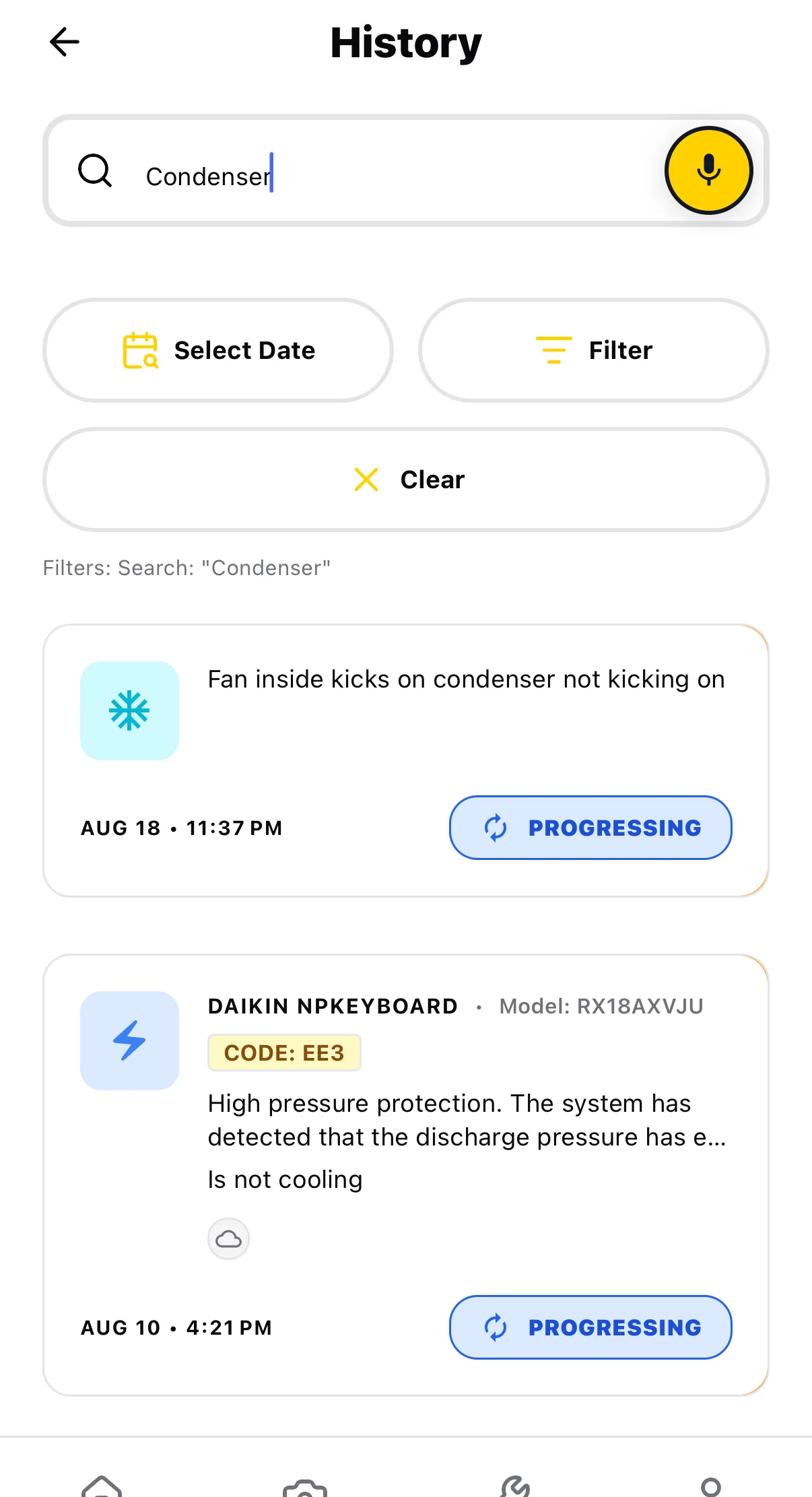
Working without signal →Questions quoted verbatim from real diagnostic sessions.
The problem is not one bad call. It is that every tech works differently.
On a crew, the same fault gets diagnosed four ways depending on who took the ticket. You find out weeks later, from a callback or an invoice dispute.
- The tech who is already sure. "The orifices are plugged, how do I unplug them." Maybe. Nobody measured manifold pressure first, so the manifold comes apart either way.
- The component nobody suspects. A walk-in that will not hold temp on hot days because two condensers are mounted close enough to breathe each other's discharge air. Parts will never fix a layout problem.
- The record that does not exist. When you ask what was checked, you get a memory, not a list — and there is nothing to hand the customer.
The tech had already decided. The app asked for a measurement first.
A real diagnosis from the app, on a real rooftop unit, walked in order. It is a good example because the technician was wrong — confidently, reasonably wrong.
“I think my orfices are plugged on this trane voyager rtu, how should I un plug them”
Not a question about what is wrong. A question about how to fix the thing he had already concluded was wrong.
Prove it before you take it apart
Possible cause 1 of 3 is not the orifices. It is a manometer on the gas valve outlet tap, 24V confirmed at the solenoids, and the manifold pressure read during a call for heat — against spec, 3.5" WC natural gas or 10" WC LP.
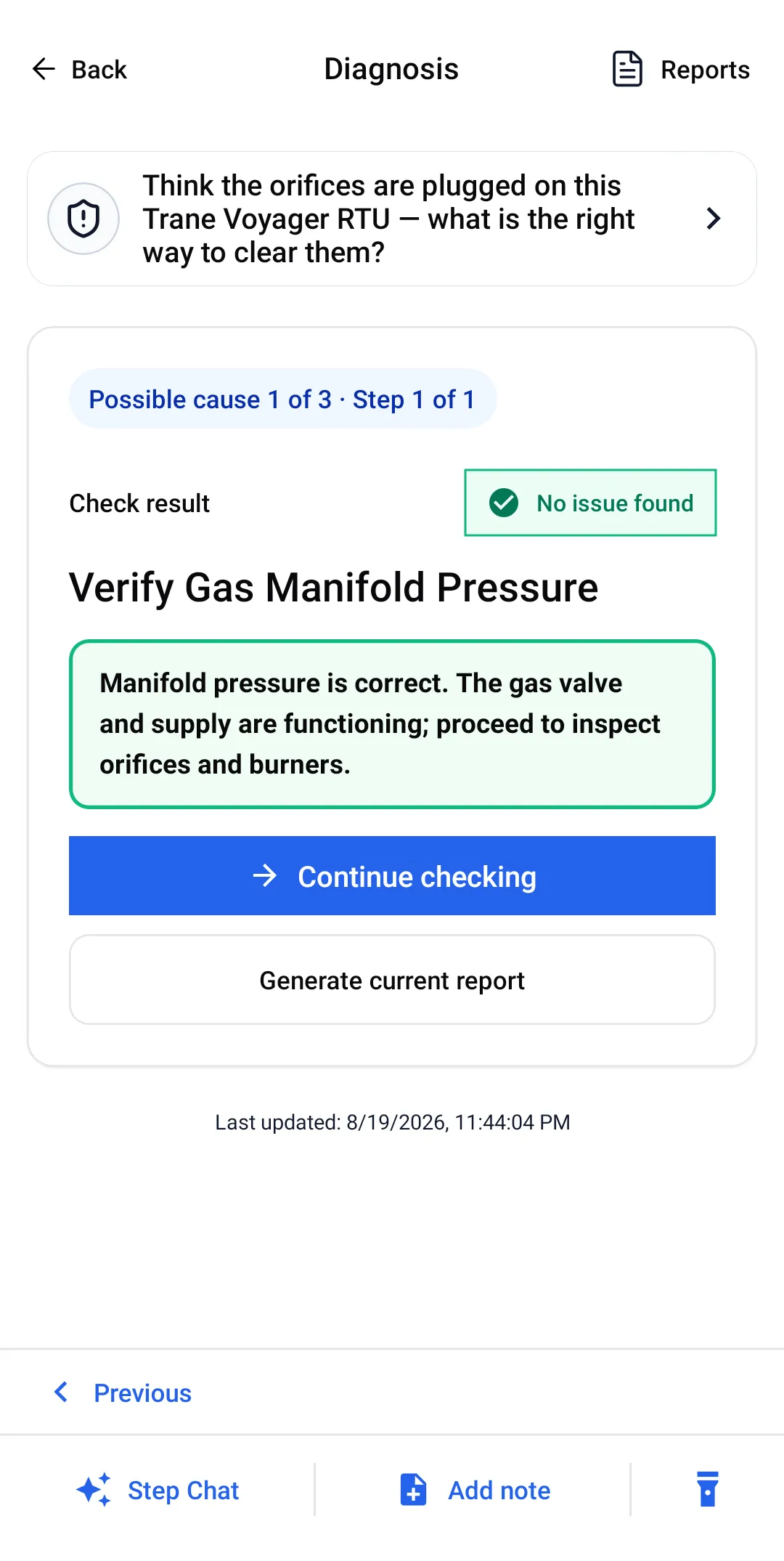
In spec — so the gas side is done
The result is not a shrug. It closes the supply side out and hands over a direction: the gas valve and supply are functioning, proceed to inspect orifices and burners.
- Ruled out Gas supply and valve — manifold pressure is correct.
Then open it, without wrecking it
Now the orifices come out — and the instruction carries the part a rushed tech gets wrong: clean with compressed air or a soft wire, and do not use a drill bit. A drilled orifice is a new problem you own forever.
The orifices were clear
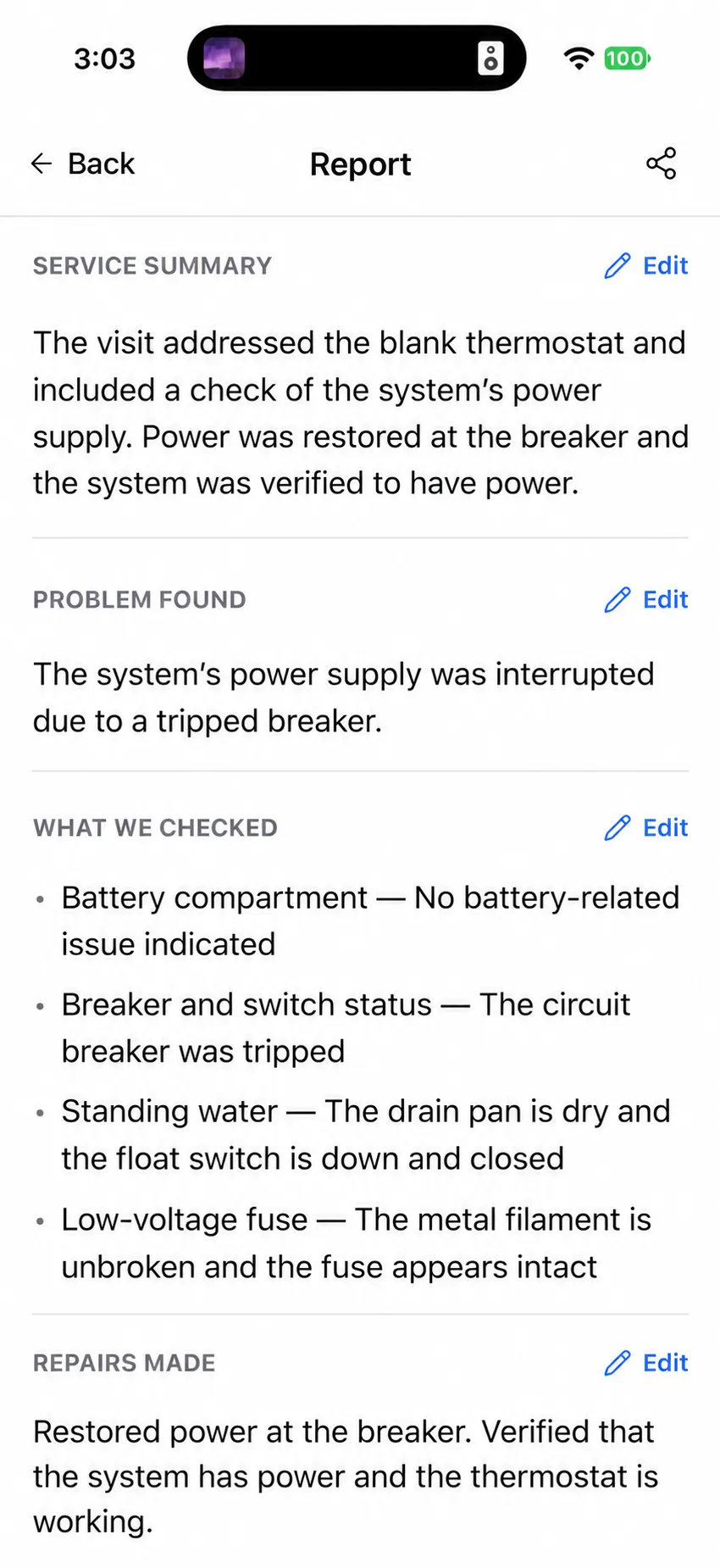
Which leaves cause 3 of 3, the one nobody asked about: burner venturi and insect screen. Field tip — white spider webbing or cocoons inside the tube. Spiders nest in burner tubes on rooftop units, and the restriction they cause looks exactly like a plugged orifice.
- Found it Obstructions or webbing inside the burner tubes.
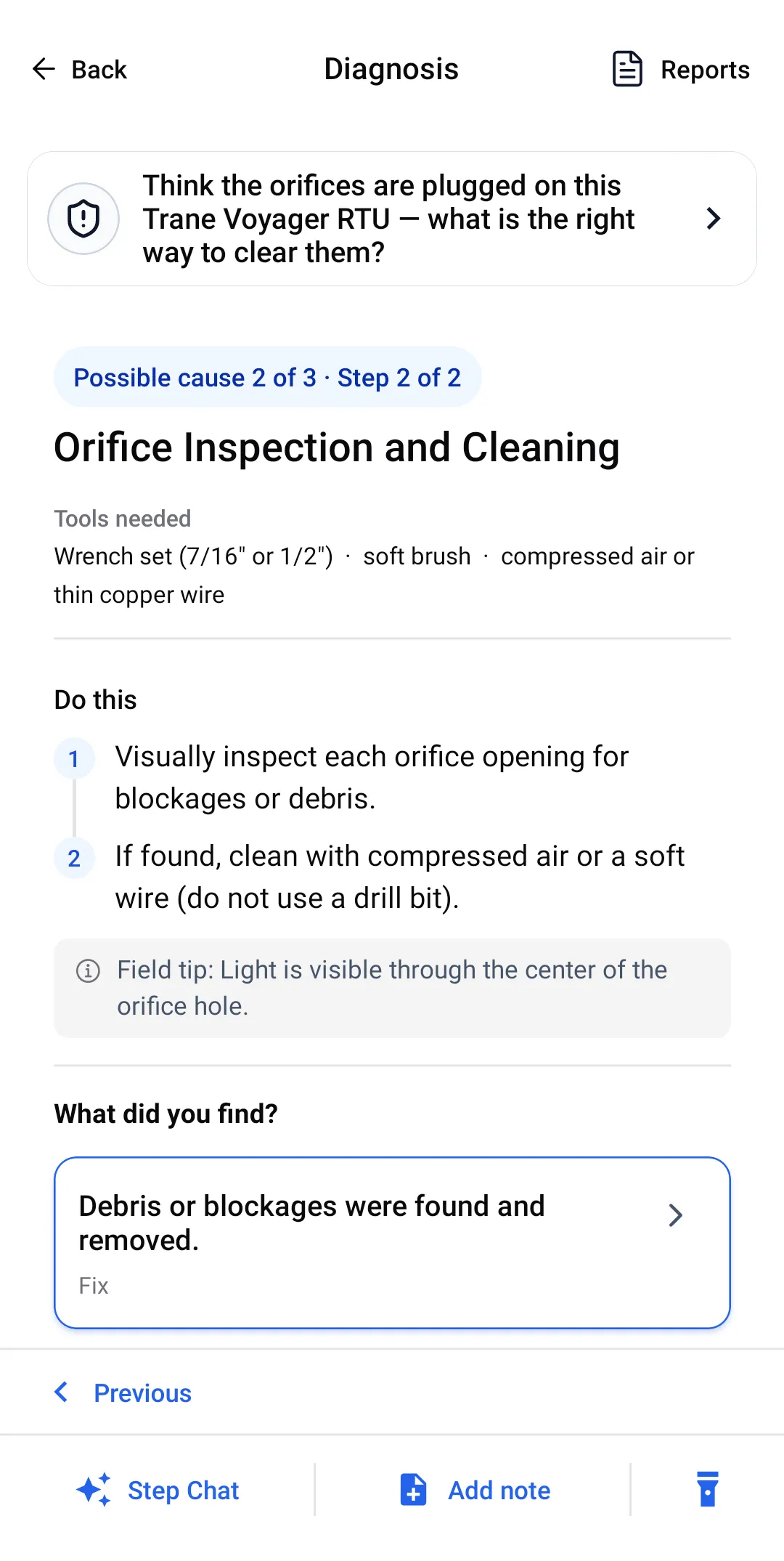
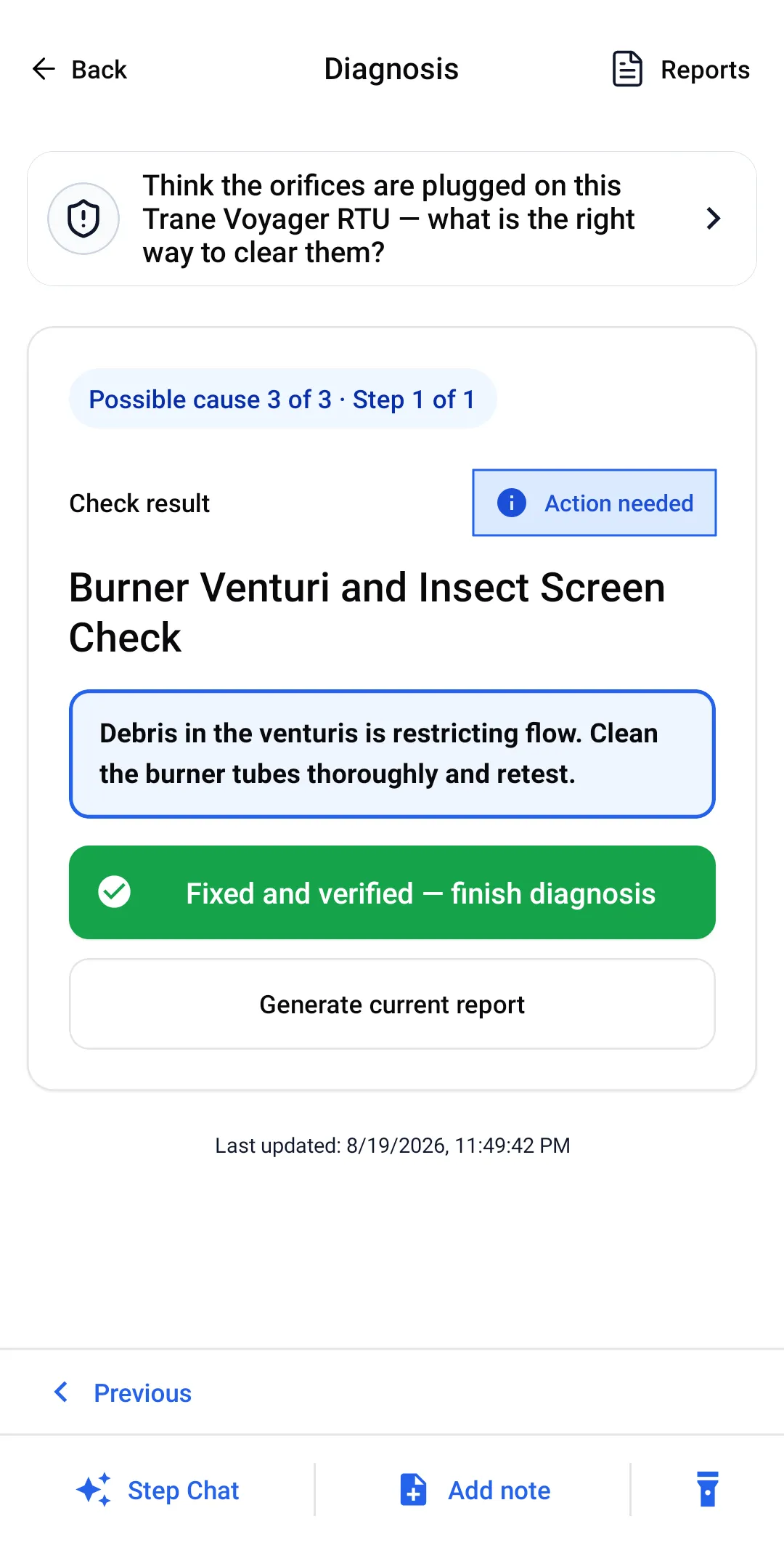
He asked how to unplug the orifices. The orifices were clean.
What every seat gets
Identical to the residential plan. There is no feature held back for a bigger contract.
Nameplate scanner
Photograph the data plate and the brand, model and serial land in the job record — including on equipment nobody wants to climb back down from to write out by hand.
See how it works →Offline field execution
Generated online, worked offline. Mechanical rooms, roof curbs and freezer boxes do not have signal, and the checks still run there.
See how it works →Customer-ready PDF report
Findings, root cause, fix and parts list, exported from the phone. For property managers and facilities contacts who need something to attach to a work order.
See how it works →Seats, roles and one invoice
The one thing a team gets that an individual does not: invite technicians, assign roles, and pay once instead of collecting store receipts.
See how it works →What “offline” actually means here
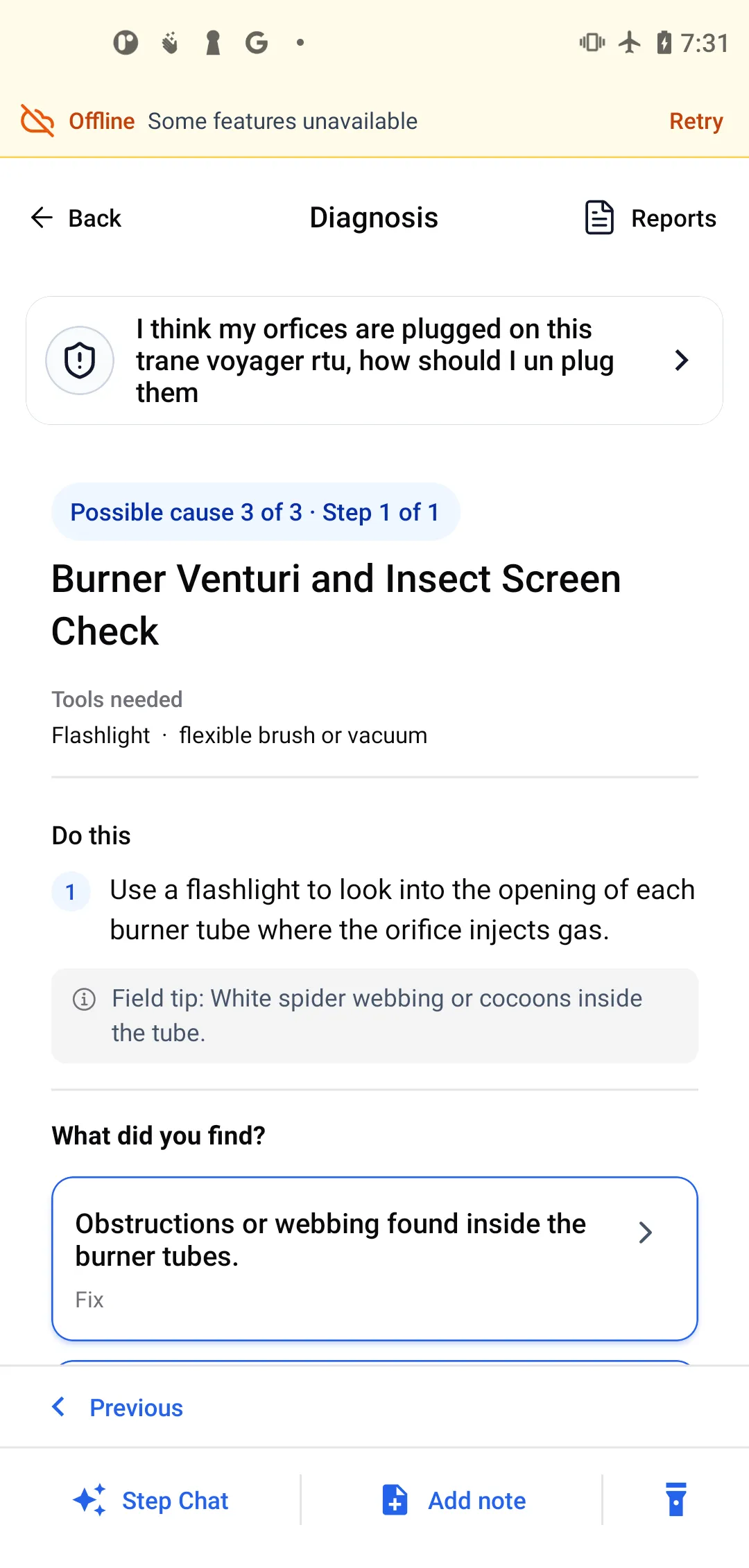
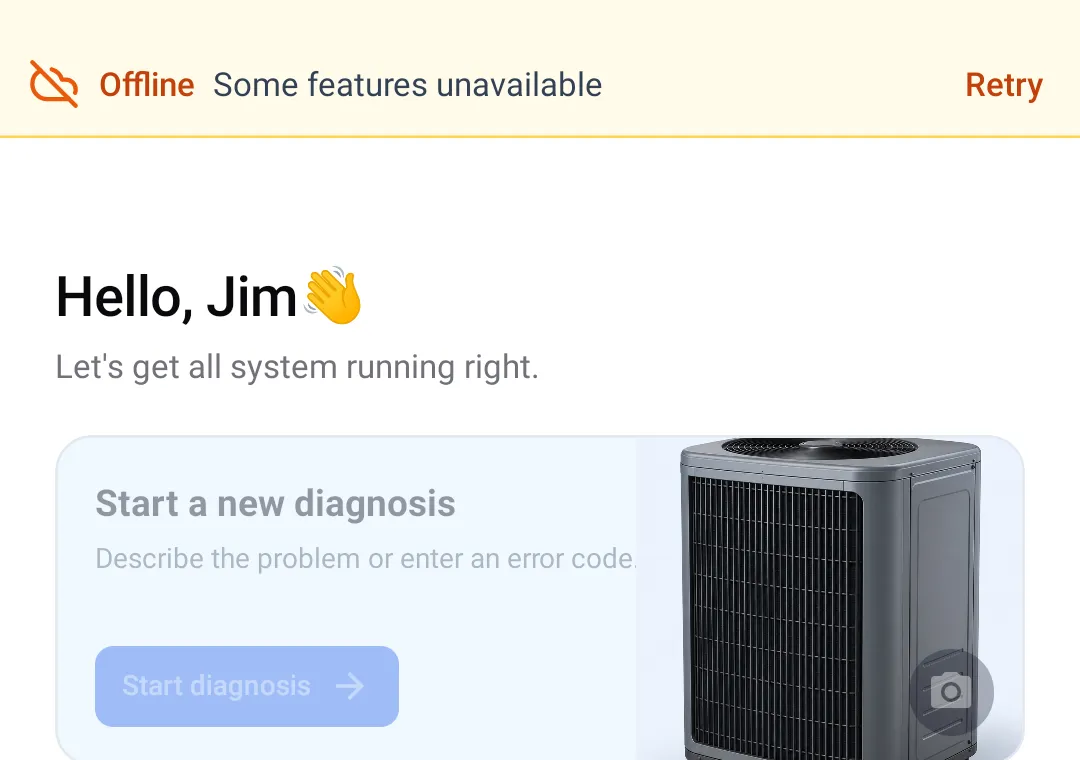
Plenty of tools say offline and mean “it will not crash”. Here is the real split, photographed on a phone in airplane mode.
- Saved work offline: read jobs stored on this phone, follow their steps, record checks, add notes, and edit or export an existing stored report.
- Needs internet: new AI diagnoses, Side Chat, AI report generation, and Scan Pro. Open the jobs and reports you need while online before leaving service.
Which is why the habit that works is: create the diagnosis in the truck, walk the checks in the crawlspace. Anything you change offline uploads itself when you come back up.
Will it cover the equipment on our routes?
ACLogics does not work from a stored fault table per model. The technician describes the symptom and it reasons out a check order from how the system is behaving — so an equipment list is not the boundary. That holds for gear we make no special claim about, chillers and process cooling included: the reasoning is about the failure, not about a catalogue entry.
- Packaged units / RTUs
- Hydronic boilers
- Heat pumps
- Air conditioners
- Variable-speed / inverter
- Gas & oil furnaces
- Ductless mini-splits
Be clear about what this is not
It does not hold your internal procedures, it does not brand reports to your template, and it is not a compliance or safety certification. It also cannot take a reading, and it does not know what the last contractor changed on that unit. You still need a qualified technician on site.
Compatibility
10 supported brands in current workflows
These logos show equipment brands referenced in ACLogics workflows. They are compatibility proof, not customer logos or endorsements.







What you would want answered before rolling this out to a crew
Is this a different product from the residential one?
No. It is the same app with the same capabilities. The difference is billing and seat management: a team pays once and controls access in one place. We would rather tell you that than invent a feature list to justify a second page.
What if the AI gets a route wrong?
Sometimes it will. It cannot take a reading, and it does not know what the last contractor did to that unit. A reading that contradicts the screen is the truth.
What it does reliably is enforce an order and refuse to skip. When a route is wrong, the tech selects the answer that says so and the app closes that cause out with a reason — which is also what you read later when you want to know what was actually checked.
Do we need a sales call or an implementation project?
No. Create the organization at team.aclogics.com, invite your technicians, and use it. The 7-day trial does not ask for a card.
Can we load our own procedures into it?
Not today. It generates the check order from the symptom; it does not ingest your internal documentation or produce reports on your template. If that is what you need, this is not that product yet.
Will my senior techs use it?
Less than your junior techs will, and that is fine. On a crew the value concentrates on the people with the least time in the field — plus the documentation the whole crew stops having to write by hand.
What happens to our data?
Jobs are stored locally on each phone so history and reports stay readable with no signal, and sync to your organization when the device is back online.
Set it up yourself tonight
Team — 7-day free trial
Create your organization, invite technicians, and run real calls through it before any payment details exist.
- Invite technicians and assign roles
- See active seats at a glance
- One invoice instead of many receipts
- No credit card required to start
Just want to try the app first?
Install it on your own phone and run one call through it before you involve anyone else. The free plan includes a one-time grant of 50,000 tokens that never expire.
- Same diagnosis engine, same reports
- Two to three complete calls, free
- No credit card