How do I delete my account?
Delete your profile in the app and check what remains before confirming.
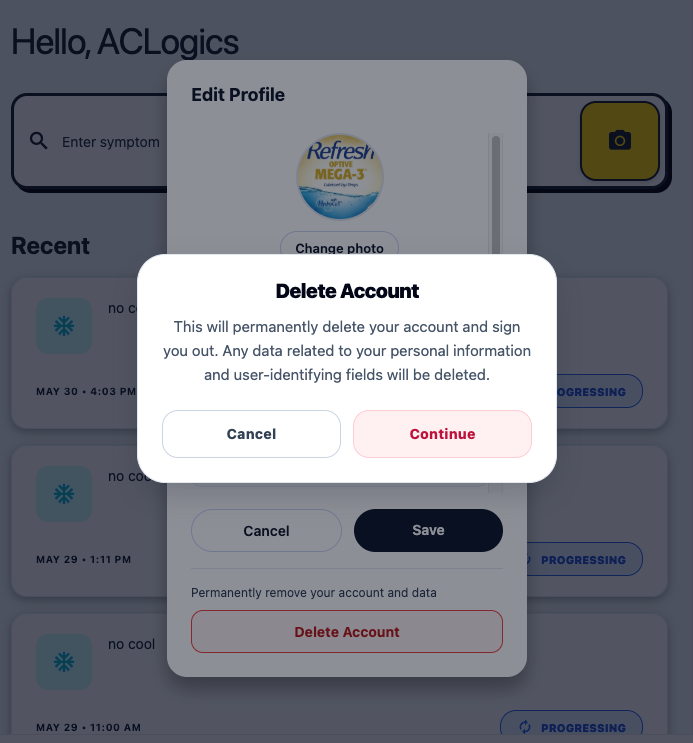
Delete your account through Account → Edit Profile → Delete Account. Review the warning before confirming; you cannot undo deletion.
- Export any reports you are allowed to keep and let local changes sync.
- Open Account → Edit Profile.
- Scroll down and tap Delete Account.
- Read the confirmation and tap Continue to delete.
Cancel paid renewal separately through your app store or Team billing.
What remains?
Your personal profile is removed. Diagnosis records may remain in anonymized form, and organization work stays with the organization. Raw equipment images may remain until their retention period ends.
See data access and retention for the policy and how to request removal of specific records or images.
If deletion shows a cleanup warning or error, email team@aclogics.com with that message so support can check it.