Find a job report, invoice, notes, or questions
Open Job Documents and choose the record you need.
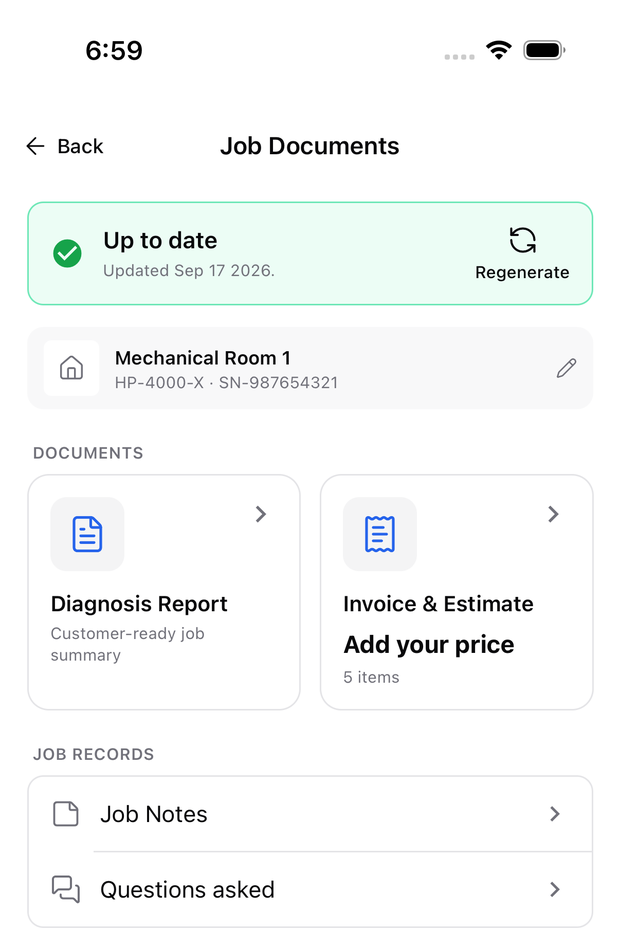
Open the diagnosis and select Job Documents to find its report, invoice, notes, and Side Chat questions.
Choose what you need
- Diagnosis Report: Review the findings or export a report.
- Invoice & Estimate: Enter or change prices and export a PDF.
- Site Info: Tap the row or pencil to edit the customer, location, and equipment details.
- Job Notes: Find notes from the job. Select a step note to return to its check.
- Questions asked: Review past Side Chat questions.
Inside a document, use the header tabs to switch between report and invoice.
No documents yet
Choose Generate Report, enter the job details, and generate while connected. This also creates the invoice for that job; you then enter its prices.
Out of date means the diagnosis changed since report generation. Review the changed findings before sending documents to a customer.